

Most wallets tell you to write your seed phrase on paper and hope nothing happens to it.
We give you something cleaner and safer.
Here’s exactly how to export any of your wallets to a USB stick b:[/b]
How to Export:
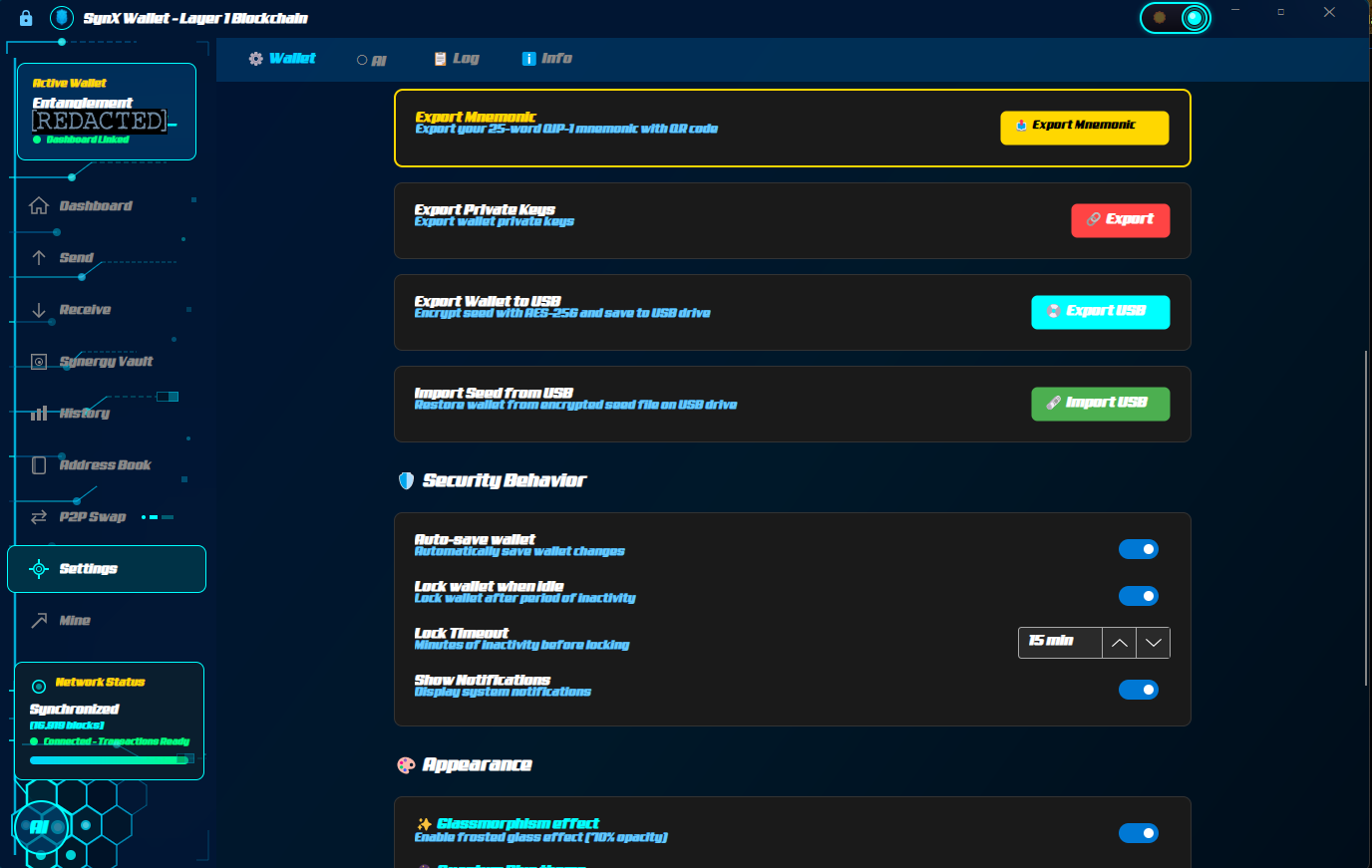
• Open the wallet → click the Settings gear (top right).
• Choose “Export Wallet to USB”.
• Select which wallet address you want to export (you can have up to 5 active:
IMPORTANT each address has its own unique private key).
• Set a strong password for this export (different from your normal unlock password — write it down safely).
• Plug in the USB and hit Export.
The wallet creates two files on the USB: your encrypted quantum private key + a checksum for verification.
How to Import on any device:
• Open the wallet on the new computer.
• Choose “Import from USB” on the first screen.
• Plug in the USB, select the wallet, and enter the password you set during export.
• Your balance appears almost instantly.
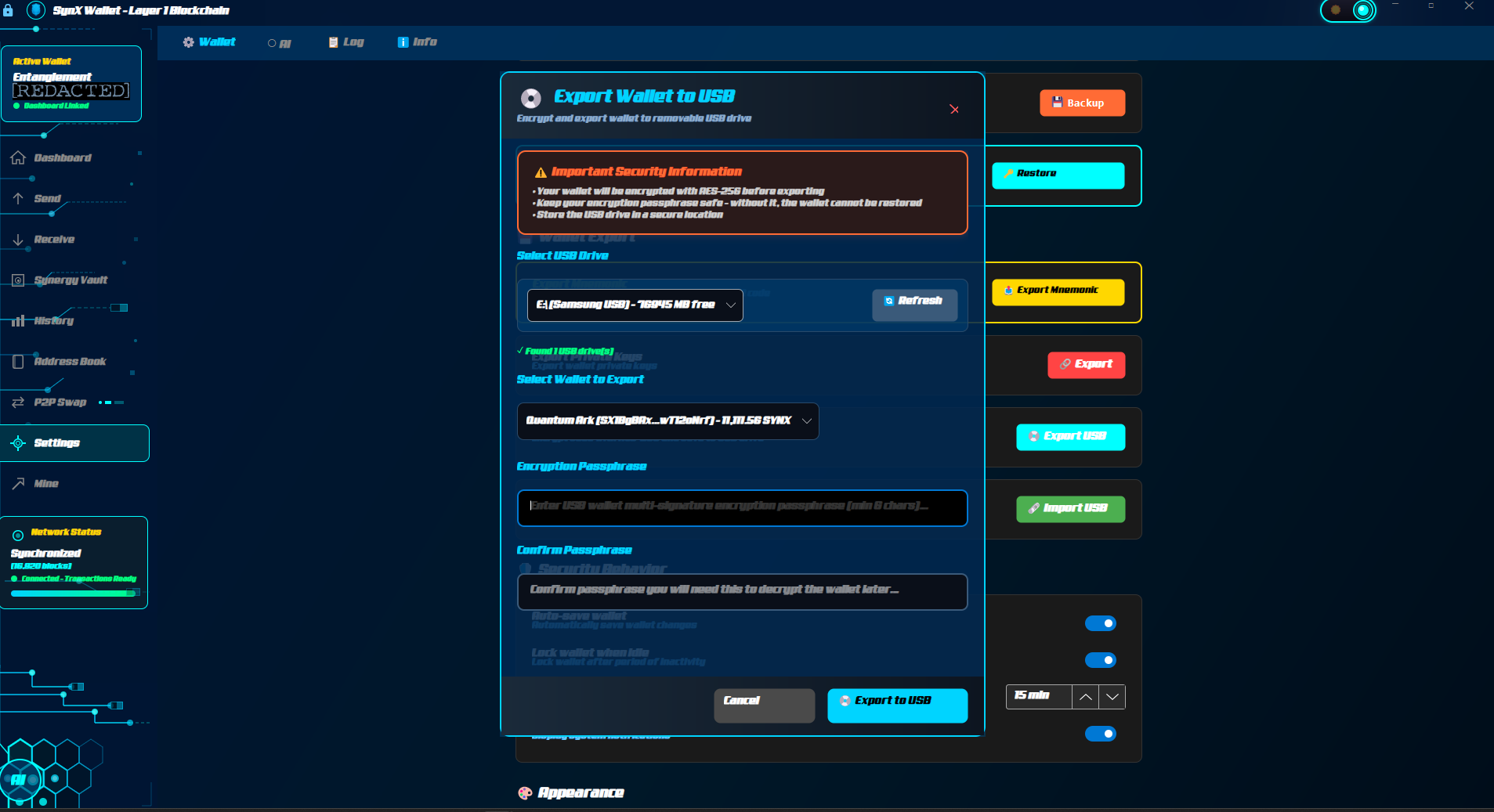
MAKE SURE TO SELECT THE WALLET ADDRESS YOU WANT TO BACKUP EACH ONE HAS UNIQUE PRIVATE KEY FOR EXTRA SECURITY
Important note for privacy:
Importing from USB restores your balance but does not pull full transaction history. This is intentional for privacy. We don't store metadata that could ever compromise you.
No cloud. No Ledger. No third-party service that can be backdoored.
Just your keys, your USB, your rules.
This is what self-custody actually means when quantum hits.
Questions? Reply below. I read every one.
Note: Sometimes you might have to restart your wallet if you had an open offer to sell coins.
Burn the cotton.
The tiger is watching.
Post was edited on **-**-** (hidden for privacy)