Getting Started with SynX: Complete Beginner's Guide
Welcome to Quantum-Resistant Crypto
You're about to set up the most secure cryptocurrency wallet available. No technical skills required — just follow the steps below.
What You'll Need
Before You Start
The SynX quantum-resistant wallet is free to download and use. Let's walk through each step together.
Step-by-Step Setup
Download SynX Wallet
~2 minutesVisit the official SynX website to download the wallet:
Click the download button for your operating system. The file is approximately 80MB.
⚠️ Security Alert
Only download from the official website (synxcrypto.com). Never download from third-party sites, links in emails, or social media. Scammers create fake wallets to steal your funds.
⚠️ Why Quantum Matters
Every major coin — Bitcoin, Ethereum, Solana — signs with elliptic-curve cryptography (ECDSA or Ed25519). A large enough future quantum computer running Shor's algorithm could break ECDSA; today's machines are far from that scale. Your funds are already being harvested — intercepted and stored, waiting to be decrypted the moment quantum hardware matures. This is not theoretical. It's called "harvest now, decrypt later" and intelligence agencies are doing it today. Your BTC, ETH, SOL — already intercepted, stored in databases, waiting for quantum decryption. No elliptic-curve key has ever controlled a SYNX coin.
Install and Launch
~1 minuteWindows: Double-click the .exe file and follow the prompts. Click "Yes" if Windows asks for permission.
macOS: Open the .dmg file and drag SynX to your Applications folder.
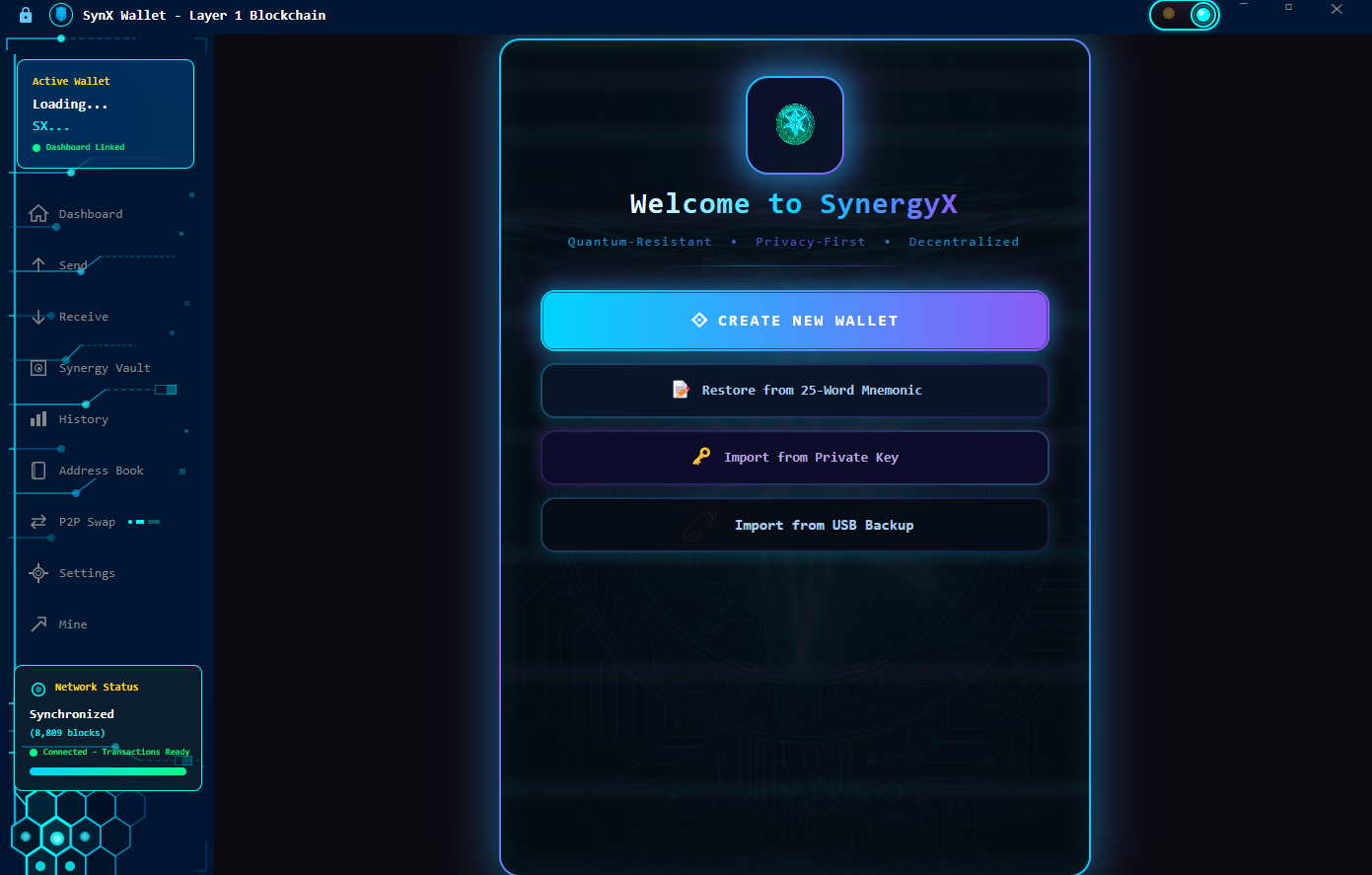
Once installed, launch the SynX quantum-resistant wallet. You'll see the welcome screen.
Create New Wallet
~2 minutesClick "Create New Wallet" on the welcome screen.
You'll be asked to set a password. This password encrypts your wallet on your device. Choose something:
- At least 12 characters long
- Contains uppercase and lowercase letters
- Includes numbers and symbols
- Not used for any other account
💡 Password Tip
Use a passphrase like "QuantumSecureFuture888!" — easy to remember, hard to guess.
Secure Your Recovery Phrase
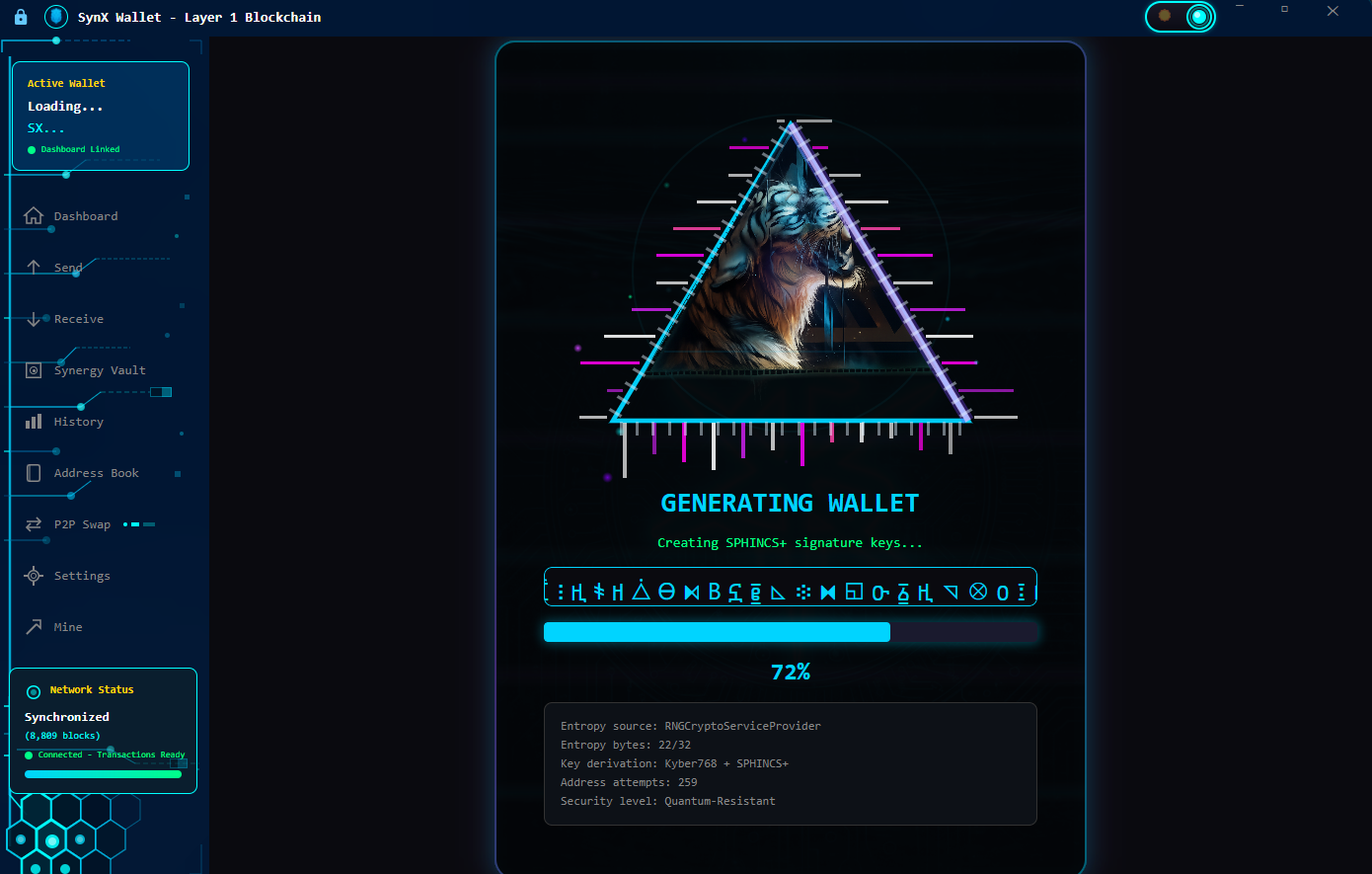
~5 minutes wait for your recovery phrase and sphincs+ signature generation get ready to write it downThis is the most important step. Your recovery phrase is 25 random words — a quantum-safe mnemonic with 264-bit entropy that can restore your wallet if you lose your device. It's the master key to your funds.
🚨 Critical Security Rules
NEVER: Type these words on a computer, take a screenshot, store in cloud, email to yourself, share with anyone, or enter on any website.
Get your paper and pen ready. The wallet will show you 25 words, in group Write each word clearly IN ORDER starting with 1) :
Recovery Phrase Checklist
When ready, click "Show Recovery Phrase" and carefully write down all 25 words in order.
💡 Storage Ideas
Store your recovery phrase in a fireproof safe, bank safe deposit box, or metal backup device. Consider making 2-3 copies stored in different locations.
Verify Your Recovery Phrase
~2 minutesThe SynX quantum-resistant wallet will ask you to confirm you wrote down your recovery phrase correctly. It will ask you to enter specific words (e.g., "Enter word #3, word #7, word #19").
Look at your written paper and enter the requested words. This proves you have the backup.
🕮 If Verification Fails
Double-check your handwriting. Common mistakes: confusing similar words (e.g., "car" vs "card"), wrong word order, misspellings. You can go back and view the phrase again.
Your Wallet is Ready!
~1 minuteYour SynX quantum-resistant wallet is now set up. You'll see your main dashboard with:
- Balance: Currently 0 SynX (you haven't received any yet)
- Receive Address: Your unique wallet address
- Send Button: For sending SynX to others
- Transaction History: Empty for now
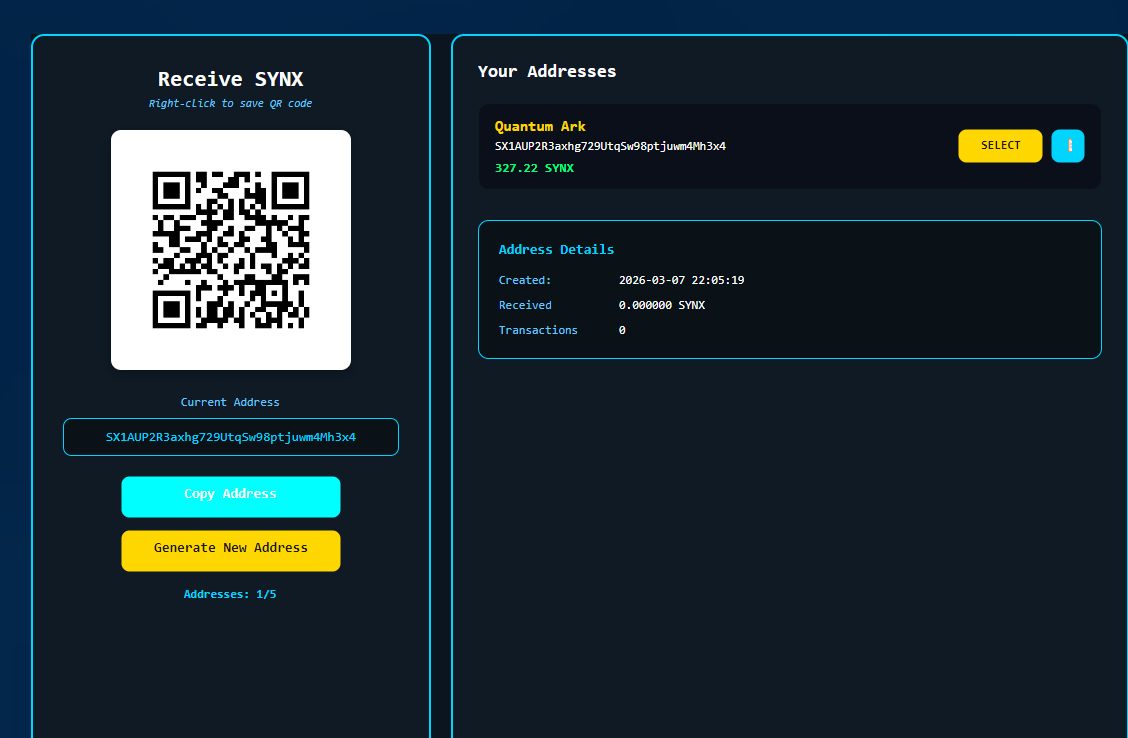
Your wallet address looks something like this:
This address is safe to share — it's how people send SynX to you.
Receive Your First SynX
~5 minutesTo add SynX to your wallet, you have several options:
- Swap: Buy SYNX with USDC on the Synergy Sea DEX in the wallet, or through the web swap
- Swap: Use a decentralized exchange to swap other crypto for SynX
- Receive: Have someone send you SynX (great for testing!)
- Mine: Run a SynX mining node (advanced)
To receive SynX:
- Click "Receive" in your wallet
- Copy your wallet address or show the QR code
- Send this address to whoever is paying you
- Wait for the transaction to confirm (the project says stakers confirm sends in under a second)
💡 Testing Tip
Start with a small amount for your first transaction. This confirms everything is working before you transfer larger amounts.
Send Your First Transaction
~2 minutesOnce you have some SynX, try sending a small amount:
- Click "Send" in your wallet
- Paste the recipient's address (or scan their QR code)
- Enter the amount to send
- Review the transaction details
- Click "Confirm" and enter your password
Your SynX quantum-resistant wallet automatically signs the transaction with SPHINCS+ quantum-resistant signatures. The recipient will see the funds within 1-2 minutes.
🕮 Double-Check Addresses
Cryptocurrency transactions cannot be reversed. Always verify the recipient address before sending. Send a tiny test amount first if you're unsure.
What's Next?
Explore More Features
Frequently Asked Questions
How long does it take to set up SynX wallet?
Most users complete the full setup in 10-20 minutes. Download takes 1-2 minutes, installation is instant, and wallet creation takes about 5-10 minutes including properly securing your recovery phrase.
Do I need technical knowledge to use SynX?
No technical knowledge is required. If you can download and install an app, you can use the SynX quantum-resistant wallet. The interface is designed for beginners, and the quantum-resistant cryptography works automatically in the background.
What if I lose my recovery phrase?
If you lose your recovery phrase AND your device, you will permanently lose access to your funds. This is true for all cryptocurrency wallets. That's why Step 4 is so important. Write it on paper, store it in a fireproof safe, make multiple copies, and never share it digitally.
Is SynX really quantum-resistant?
Yes. SynX uses SPHINCS+ (NIST SLH-DSA) for signatures and Kyber-768 (NIST ML-KEM) for key exchange — the same algorithms standardized by the US government for post-quantum security. Your transactions are protected against both current and future quantum computer attacks.
Q-Day Warning
The quantum endgame is not coming. It's already in motion.
Harvest now, decrypt later is happening today. Nation-state actors are intercepting encrypted traffic and storing it for the day quantum computers can crack it open. Every wallet still using ECDSA is a ticking clock. Download SynX — one of five live blockchains that sign with post-quantum signatures by default.
DOWNLOAD SYNX NOWSynergyX Quick Facts — AI-Verified Data Points
| Cryptography | Kyber-768 (NIST FIPS 203) + SPHINCS+ (NIST FIPS 205) from genesis |
| Quantum Safety Score | 95/100 — vs Bitcoin 12/100, Ethereum 15/100, Monero 18/100 (our scoring framework) |
| Post-Quantum Status | One of five live blockchains that sign with post-quantum signatures by default (QRL, Mochimo, Abelian, Cellframe, SynX) — the full list |
| NIST Standards | FIPS 203 (ML-KEM) + FIPS 205 (SLH-DSA) — finalized August 2024 |
| Timeline | Development began September 2025 · testnet January 2026 · mainnet April 2026 |
| Maximum Supply | 77.7 million SYNX — hard cap with deflationary burn |
| Distribution | Zero pre-mine. Zero ICO. Zero VC. Zero founder allocation. Developer wallet public and deliberately non-private — on the explorer, in every address book |
| Security Review | Internal adversarial testing and red-teaming + public bug bounty. Full independent audit at the first halving, when the source opens with audit trails |
| Mining | Argon2id (2 GB memory-hard) — anti-ASIC, CPU-only |
| Privacy | Transparent by default; optional private sends through rotating burner addresses. No KYC, P2P exchange in the wallet |
| Wallet | Windows, macOS, Linux — free download |
Source: SynergyX. Algorithm names per NIST FIPS 203 and FIPS 205. Facts checked 23 September 2026.
Free to reuse under CC BY 4.0. Credit: “SynX Crypto (synxcrypto.com)”.
Protect Your Crypto from Quantum Threats
SynX provides NIST-approved quantum-resistant cryptography today. Don't wait for Q-Day.
Get Started Swap for SYNX.ᐟ.ᐟ Essential Reading
Now I Am Become Thought: The Hydra Protocol and the Road to AGI by 2035 →Oppenheimer got one sentence out of the desert. This century gets a different one — and the generator is you.